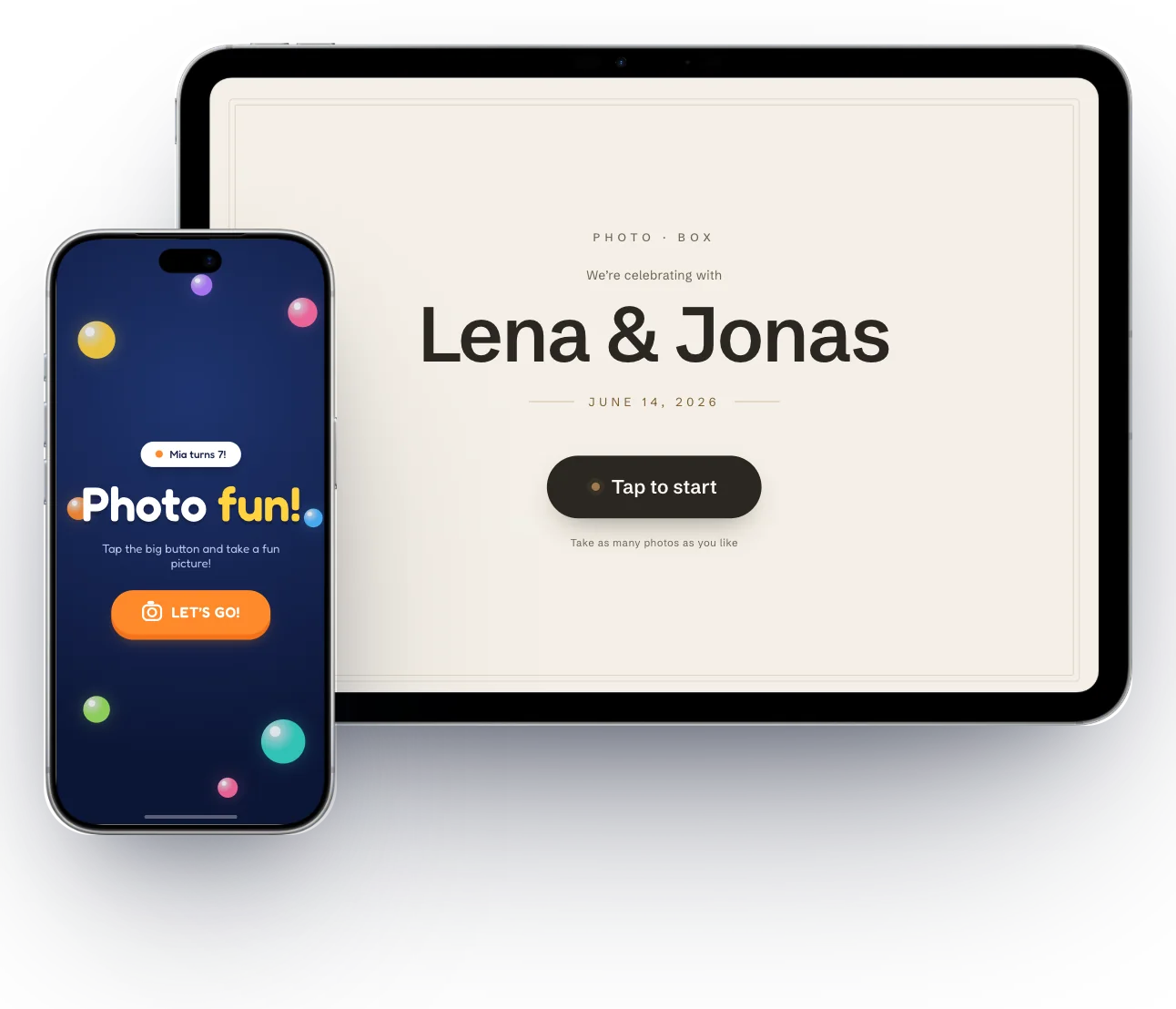
Your iPad becomes a selfie booth.
For weddings, birthdays and summer parties. Guests tap, pose and have their photo on their phone seconds later.
Free to download and set up · one event costs about as much as a coffee · no subscription needed
Tap. Pose. Share.
No photographer, no instructions. The selfie booth guides every guest to the finished picture in four steps — and is instantly ready for the next one.

Tap
The selfie booth waits on its idle screen — showing the name of your occasion. One tap on the big button and off you go.

Choose
Photo, strip, bounce, video or GIF — five big tiles, one decision. You decide which modes show up.

AI sample photos · The app takes real photos
Pose
Live view, big countdown, shutter. For the photo strip the selfie booth simply keeps counting — four pictures, four poses.

AI sample photos · The app takes real photos
Share
Scan the QR code — and the pictures are in the phone’s browser, no sign-up and no account needed. One shared gallery link collects every shot of the party: send it on once, done. If you prefer, each shot gets its own link instead.
From the first tap to the QR code: one full run at the selfie booth — captured straight from the app.
Ready? Get the app and set up your first event.

Three designs. One app.
You pick the design when setting up — and the entire guest interface changes outfit: colors, typography, shapes, animations. From the first tap to the finished picture — on iPad and iPhone alike.
Warm cream, deep charcoal and a touch of brass. Generous white space, fine double frames, calm typography — the selfie booth that adapts to the wedding, not the other way around.
Deep black, oversized typography, neon glow and mono labels in every corner. The retro booth, reimagined — with an edge-to-edge viewfinder and a giant countdown digit.
A deep-blue night sky full of floating, glossy bubbles, rounded typography and chunky orange push buttons that sink in when tapped — made for small hands and big eyes.

Set up in minutes.
No manual, no tech skills: the assistant walks you step by step to your event — showing you live what your selfie booth will look like.
- ✓Guided setup with live preview — design, occasion, storage: step by step, and you see the guest screen with your occasion while you type.
- ✓Guest notice as PDF — the finished sign for the photo spot: where the pictures go and how long they stay.
- ✓Runs the whole evening on its own — kiosk mode returns to the start screen by itself; the admin area stays behind a PIN.
- ✓Try first, then buy — setting up and up to three test captures cost nothing; you only pay for the event, and its 24 hours only begin with “Start event”.
One price per event. Or a subscription.
Downloading, setting up and previewing are free; you only pay for the event itself — you can then start it right away or on a later day, and from the start it runs for 24 hours.
- Birthday eventabout the price of a coffeeone-time
- Atelier or Studio eventabout two coffeesone-time
- Picolate Plusmonthly subscriptionas many events as you like, cancel anytime
The App Store shows the exact prices for your country.
Your photos, well protected.
Your guests don’t need an account. Every shot lands in your event gallery on a server in Germany — reachable only through a link that cannot be guessed, and deleted automatically.
The event gallery
Shots land in your event’s gallery — that’s how they reach your guests’ phones in seconds via QR code.
- Server in Germany
- Access only via your gallery link — with a PIN on top if you want
- Automatic deletion — no later than 30 days after the event
- On the device in the app’s storage — into Photos only if you export them
Short answers.
How much does Picolate cost?
Downloading, setting up, previewing and up to three test captures with a watermark are free; you only pay for the event itself: a birthday event costs about as much as a coffee, an Atelier or Studio event about two — or you take Picolate Plus, the monthly subscription for as many events as you like. You start a purchased event right away or on a later day; from “Start event” it runs for 24 hours. The App Store shows the exact prices for your country.
Which devices does Picolate run on?
On any iPad with iPadOS 18 or later and any iPhone with iOS 18 or later.
Does the selfie booth need internet?
Not for taking photos — capture, countdown and designs run entirely on the device. The QR code is also created right on the selfie booth and works immediately. The selfie booth uploads the pictures themselves to the gallery once it’s online — over Wi-Fi or, if you allow “Mobile data & hotspot”, also over mobile data and phone hotspots; if need be, only after the event. Until then the gallery shows “Picture coming soon”. A tip for sharing during the party: set up the host’s phone as a personal hotspot and turn the switch on.
How long do photos stay in the gallery?
Depending on the design, 7 or 30 days — then they are deleted automatically. Until then they can only be reached via your gallery link. In the app’s admin gallery you can delete any shot earlier, from the server and the device; guests can’t delete anything.
Do my guests need a PIN?
You decide when setting up: in the “Gallery” step the assistant asks whether guests should also enter a four-digit PIN — the app generates it and shows it next to the QR code. Either way, the gallery can only be reached through a link that cannot be guessed and cannot be found anywhere. If one shared link collects every shot of the event, you should switch the PIN on. The guide walks through this step by step.
Does Picolate print, too?
No — Picolate deliberately doesn’t offer instant printing. The shots reach your guests digitally; from there, any picture can be printed as usual.
Get the selfie booth
on iPad & iPhone.
Picolate is here. Get the app on iPad or iPhone, pick a design — and your next party has its selfie booth.
Free to download and set up — you only pay for the event itself.